

a. Suggest Number Series with Copilot
Introduction:
- Copilot is an AI-powered assistant designed to enhance creativity, increase productivity, and streamline tasks.
- Integrated within Business Central, it’s the world’s first AI assistant for all lines of business.
- Copilot helps small and medium-sized organizations by providing intuitive AI tools that empower employees, foster innovation, and save valuable time.
- This Copilot feature is available in all supported Business Central countries/regions.
Feature:
- Copilot enhances the efficiency of creating and updating number series on the No. Series page.
- By selecting the Generate action, the Generate No. Series with Copilot dialog box is opened, enabling you to enter a prompt for creating new number series or modifying existing ones, streamlining the process and improving productivity.
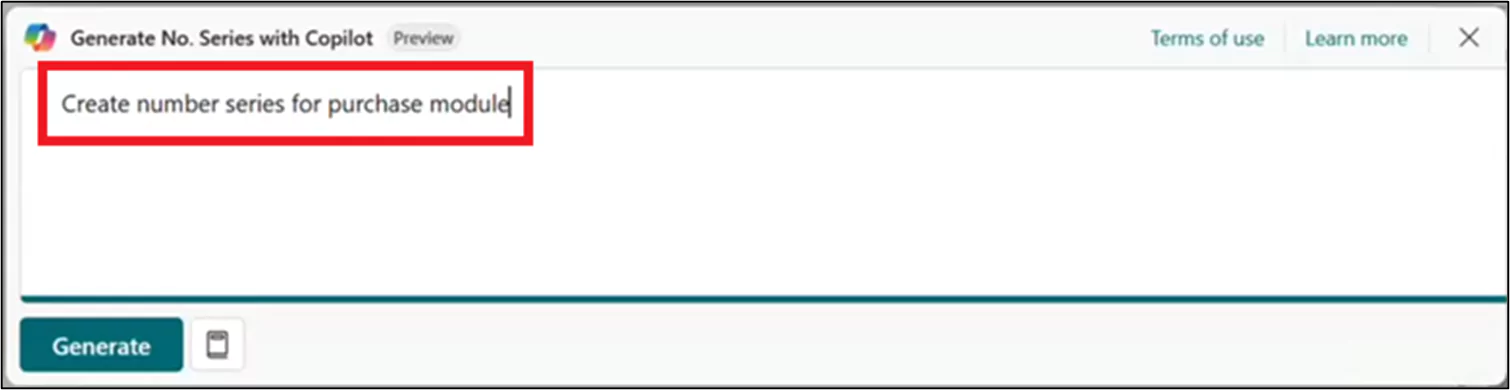
Number Series Updates:
- In the “Generate No. Series with Copilot” dialog, you can modify existing offer sets using prompt guides to help update a number series.
- Upon selecting “Generate,” Copilot will update one or more number series proposals. You can then review these proposals in the “No. Series Proposals” view. From there, you can remove any generated proposals or edit those you prefer. Once you’re satisfied, click “Keep It” to add or update the proposal.
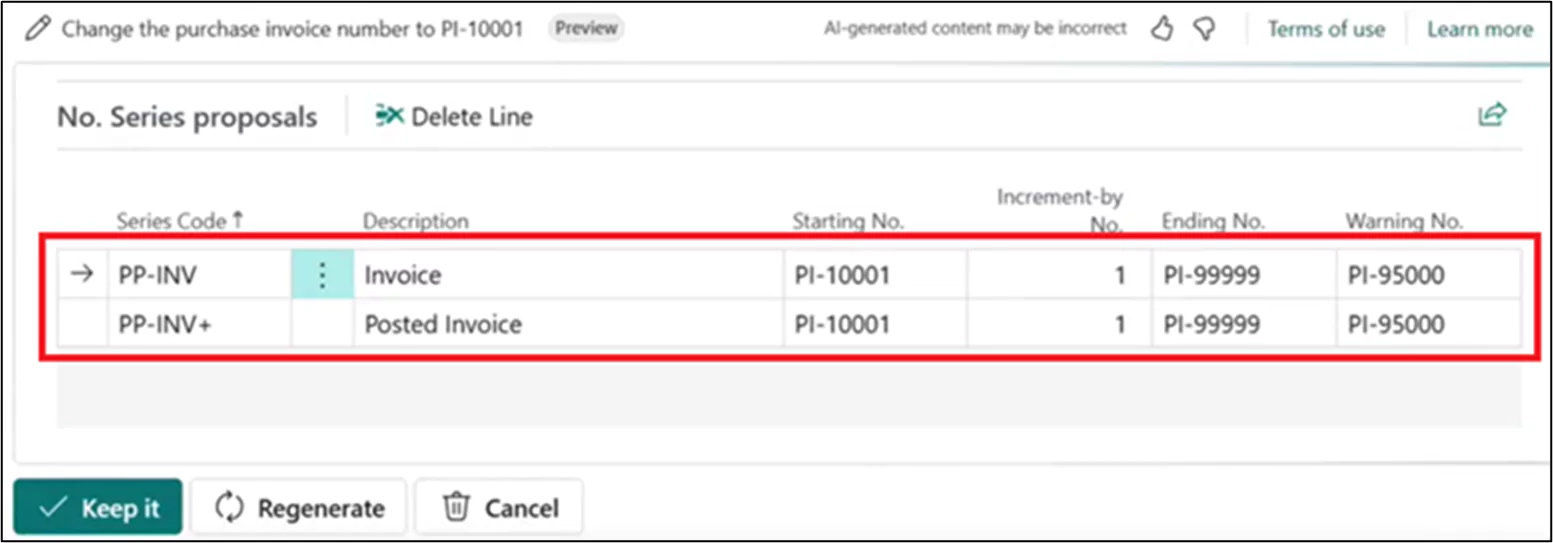
b. Create Sales Lines easily with Copilot
Introduction:
- Copilot in Business Central streamlines sales document creation, reducing time on repetitive tasks. It processes inputs like free text, files, or prompts to quickly generate sales lines. This boosts efficiency, accelerates document delivery, and drives revenue growth, improving productivity for users.
Feature:
- Versatile Input Methods: Copilot supports various inputs, including free text, files, and prebuilt prompts, enhancing efficiency and convenience.
- Intelligent Processing: Using advanced AI, Copilot processes input to suggest sales lines, reducing manual entry, minimizing errors, and saving time. It also suggests sales lines based on recent customer purchases.
1. Open Sales Order,
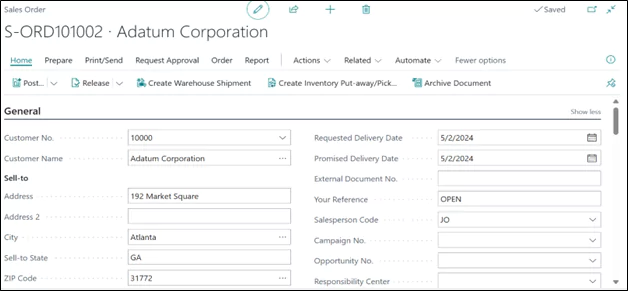
2. Click on Suggest Sales Line’s action Button,
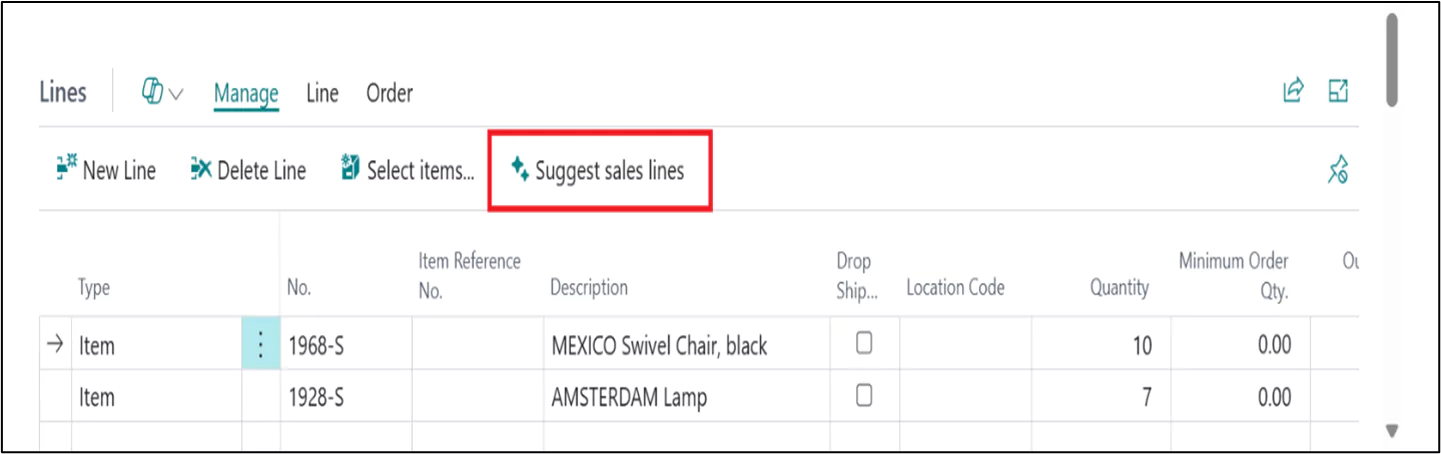
3. Copilot can now combine the “Find product” and “Find document by reference” skills, allowing it to search for documents and products on document lines, especially useful for blanket orders. The “Find document by reference” skill now supports sales blanket orders.
4. It also supports units of measure, using your specified unit or defaulting to the sales unit if needed.
5. For attachments, Copilot analyzes CSV files to identify structure, field mappings, and suggests filling in product and quantity fields.
c. Create Power Automate Flows with Copilot
Introduction:
- Creating Power Automate flows without predefined templates can be challenging and tedious. However, with Copilot in Power Automate, this task is simplified, enabling users to build flows effortlessly using natural language input.
Feature:
- This feature connects Copilot in Power Automate with Business Central, enabling you to create automation flows via natural language. You can then modify or adjust these flows in Power Automate using the Copilot experience.
- Copilot in Power Automate offers a conversational experience for creating flows using Business Central data. It helps you build, refine, and run automations through a chat interface, providing answers, documentation, and making flow adjustments based on your natural language input.
- This feature will be made available later in 2024 release wave 1 as a production-ready preview for production and sandbox environments based on the English language in the US region.
- This feature needs to be enabled in Feature Management.

- In order to improve Copilot in Business Central, Microsoft continues to add new capabilities and polishing existing ones.
Conclusion:
Copilot in Business Central is revolutionizing the way small and medium-sized businesses operate, by simplifying complex tasks and enhancing productivity.
From streamlining number series management to making sales line creation more efficient, Copilot provides a seamless and intuitive experience that allows employees to focus on more strategic initiatives.
By integrating AI-powered features such as generating and updating number series, intelligent sales line suggestions, and effortless creation of Power Automate flows, Copilot empowers businesses to optimize workflows and reduce manual effort.
As Microsoft continues to enhance Copilot’s capabilities, businesses can look forward to even more advanced features that will further drive innovation and improve overall efficiency and Copilot is an essential tool for businesses looking to stay competitive and productive in an increasingly digital world.