

Microsoft Fabric is a revolutionary, unified analytics platform that brings together multiple data services, including Power BI, Synapse, and Data Factory. For Power BI users, Microsoft Fabric offers significant enhancements in data management, performance, and analytics capabilities. This blog explores how each component of Microsoft Fabric benefits Power BI report users and how you can leverage these features to optimize your reporting and analytics workflows.
Microsoft Fabric is an all-in-one analytics solution that integrates data movement, storage, processing, and visualization. It simplifies data workflows by offering a seamless experience across various analytics workloads.
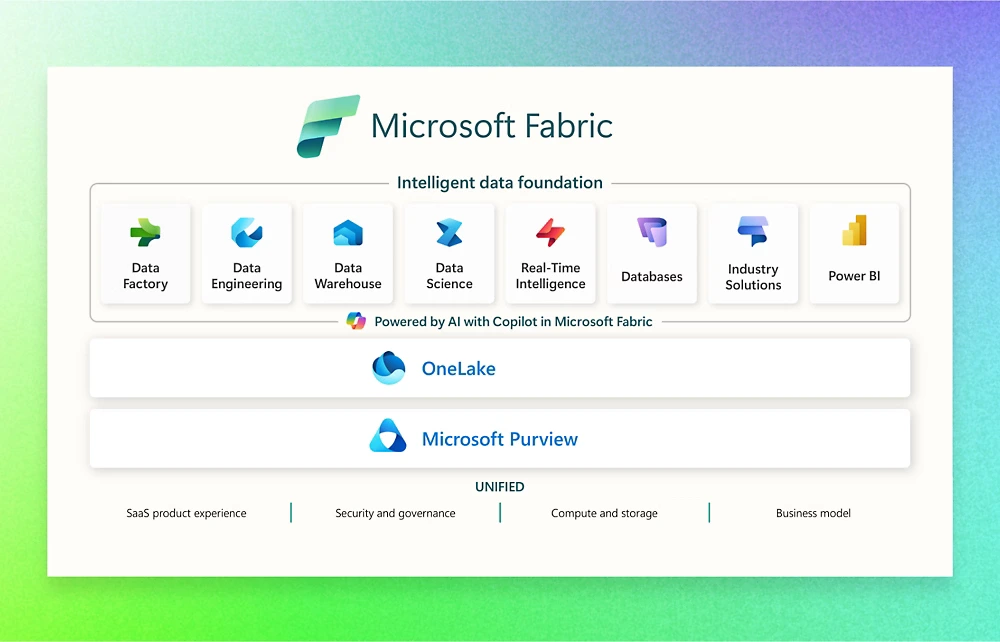
Key Components of Microsoft Fabric:
- Data Factory: Facilitates seamless data ingestion, transformation, and integration across different data sources.
- Data Engineering: Tools and services for preparing, managing, and transforming data for analytics and machine learning.
- Data Warehouse: Centralized repository for storing and managing large volumes of structured data, optimized for query performance.
- Data Science: Advanced AI and machine learning tools for real-time and predictive analytics.
- Real-Time Intelligence: Enables real-time data processing and analytics for immediate insights and actions.
- Database: Managed database services for storing and querying relational and non-relational data.
- Industry Solutions: Pre-built templates and solutions tailored for specific industry needs and use cases.
- Power BI: Business analytics service for creating interactive reports and dashboards using data from various sources.
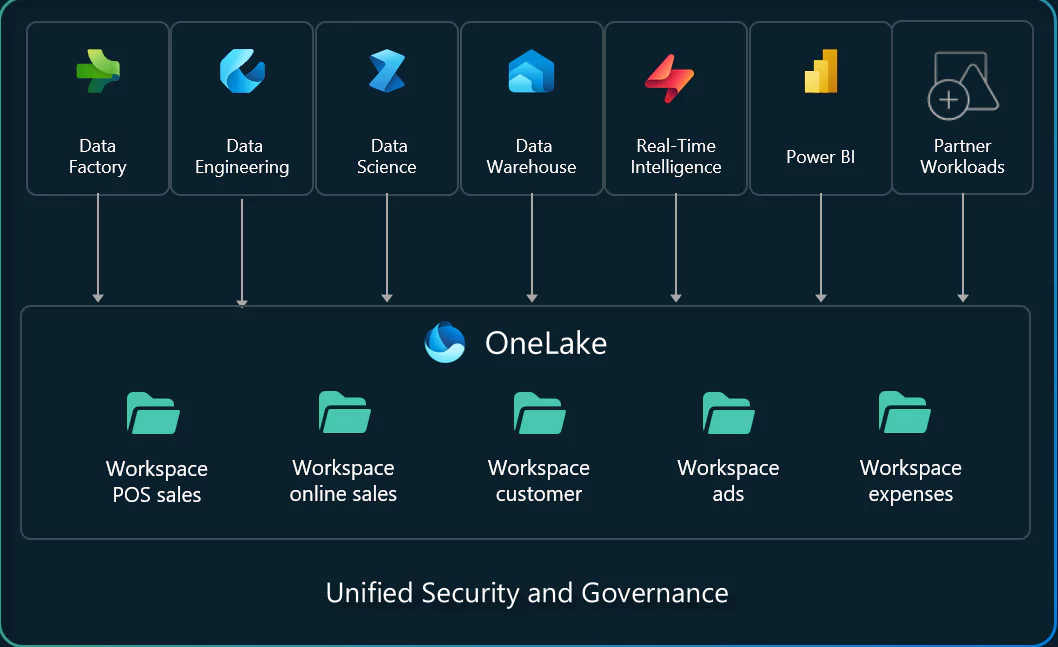
OneLake – A Unified Data Lake for Power BI
OneLake is Microsoft Fabric’s centralized data lake, designed to serve as a single source of truth for all analytics workloads. For Power BI users, this innovative feature eliminates data silos by enabling seamless storage and access to data from SQL, Azure, and on-premises sources in one unified location.
OneLake minimizes data duplication and movement by allowing virtualization of data through shortcuts, enabling users to work from a single copy of data across various analytics engines. This approach not only simplifies data management but also ensures efficiency. Additionally, with Delta Lake support, OneLake delivers optimized performance, enabling faster query execution and ensuring smooth, responsive reporting.
Data Factory – Seamless Data Integration
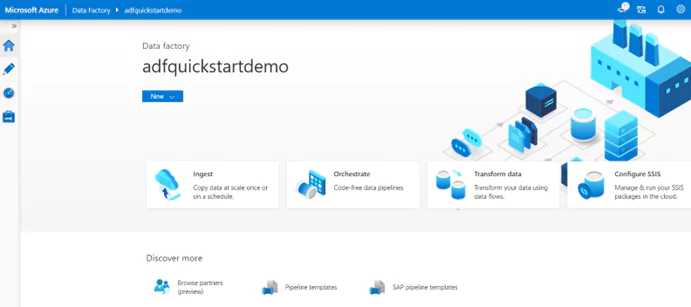
Azure Data Factory (ADF) is a cloud-based data integration service that allows you to create data-driven workflows for orchestrating and automating data movement and data transformation. For Power BI users within Microsoft Fabric, ADF plays a crucial role in managing and preparing data for analysis. By leveraging ADF, Power BI users can efficiently extract, transform, and load (ETL) data from various sources into a centralized data repository, such as Azure Data Lake Storage or Azure SQL Database. This integration ensures that data is clean, structured, and ready for visualization in Power BI, enabling users to create insightful reports and dashboards. Additionally, ADF’s seamless integration with Microsoft Fabric enhances the overall data pipeline, providing a unified platform for data management and analytics.
ADF supports over 90 connectors, making it easier to integrate data from multiple sources—both on-premises and in the cloud. This reduces the need for manual data preparation and allows for more comprehensive insights in Power BI reports. ADF also enables automated data transformation at scale, ensuring that the data loaded into Power BI is accurate and ready for analysis.
Eventstream – Real-Time Data Processing for Power BI
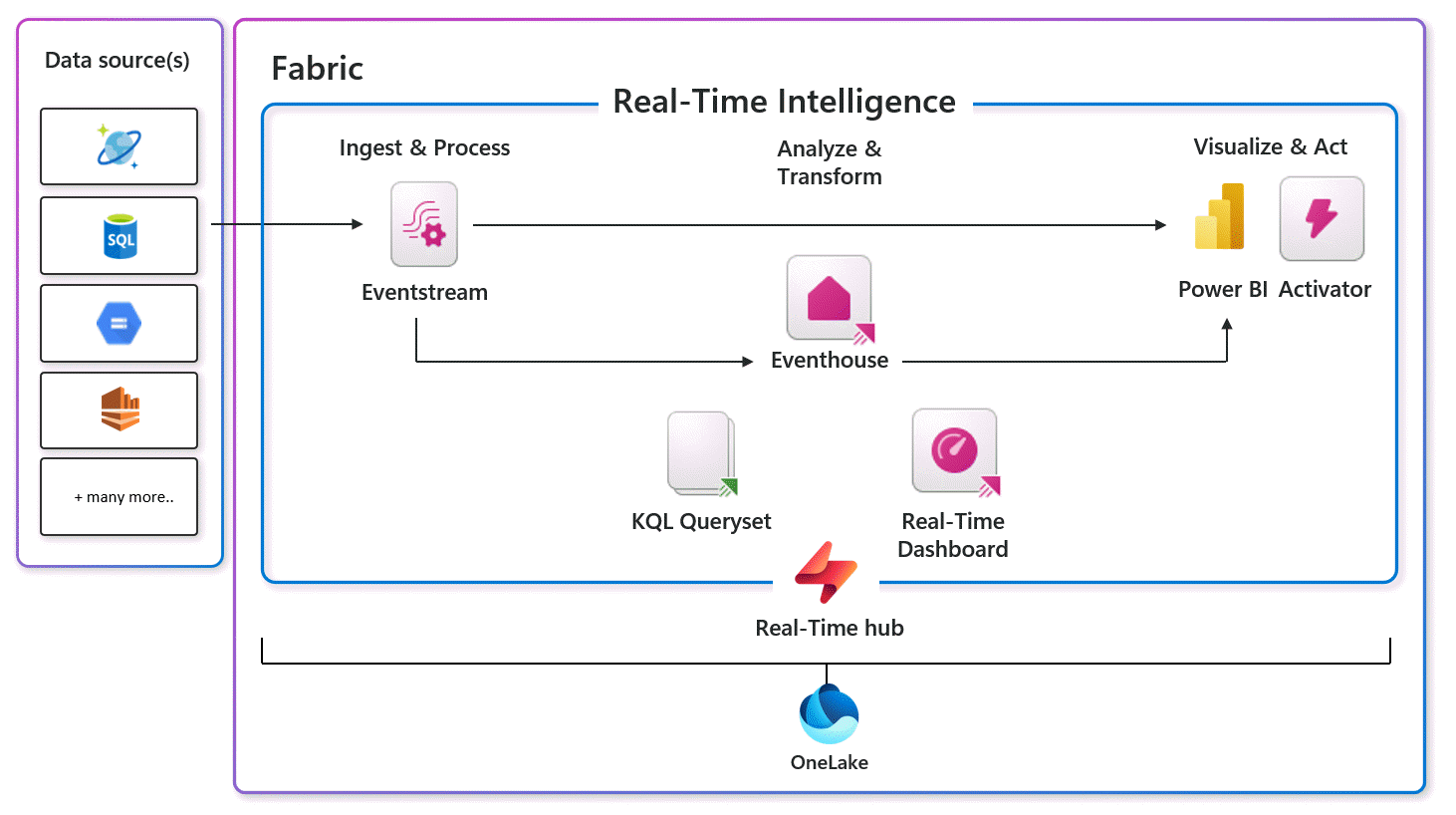
Real-Time Intelligence in Microsoft Fabric is a powerful service that enables organizations to extract insights and visualize data in motion. It provides an end-to-end solution for event-driven scenarios, streaming data, and data logs.
Real-Time Intelligence handles data ingestion, transformation, storage, analytics, visualization, tracking, AI, and real-time actions, making it a comprehensive tool for managing data in real-time.
One of the key features of Real-Time Intelligence is the Real-Time Hub, which serves as a centralized catalog for all data in motion within an organization.
This hub allows users to easily access, add, explore, and share data, promoting quick decision-making and informed actions.
Real-Time Intelligence supports a wide range of data sources, including IoT systems, system logs, and semi-structured data, enabling broader insights and visual clarity across various domains.
By integrating Real-Time Intelligence with other components of Microsoft Fabric, users can create dynamic, actionable resources that drive value across the entire organization.
This integration ensures that data remains protected, governed, and accessible, aligning seamlessly with all Fabric offerings.
Synapse Data Science – AI-Powered Insights in Power BI
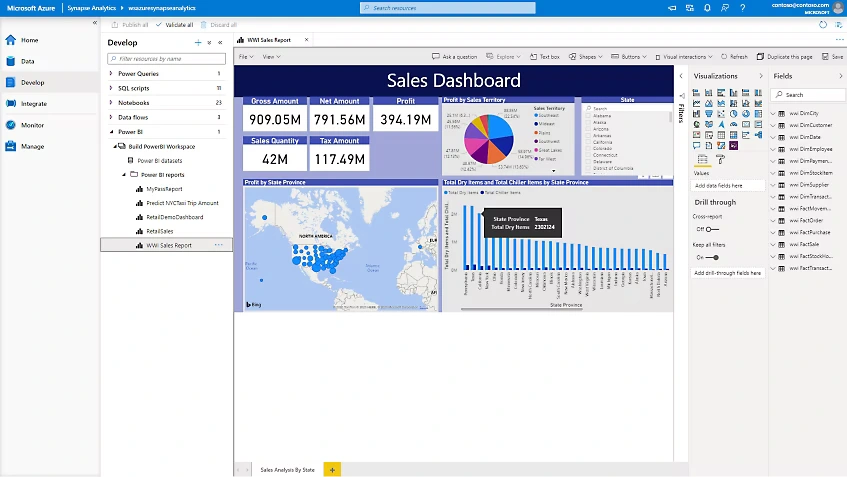
Azure Synapse Data Science provides AI-powered insights that significantly enhance the capabilities of Power BI. By integrating Azure Synapse Analytics with Power BI, users can leverage advanced analytics and machine learning models to gain deeper insights from their data. This integration allows users to create, train, and deploy machine learning models directly within the Synapse workspace, and then visualize the results in Power BI.
One of the key benefits of this integration is the ability to perform advanced data transformations and analytics using Synapse’s powerful data processing capabilities. Users can link their Power BI workspace to their Synapse workspace, enabling seamless data flow and real-time analytics.
This setup allows for the creation of sophisticated reports and dashboards that incorporate AI-driven insights, such as predictive analytics, anomaly detection, and natural language processing.
Additionally, Synapse Data Science supports the use of various data sources, including structured and unstructured data, making it easier to integrate diverse datasets into Power BI.
This flexibility ensures that users can analyze a wide range of data types and derive meaningful insights that drive business decisions.
By combining the strengths of Azure Synapse Analytics and Power BI, organizations can unlock the full potential of their data, transforming it into actionable intelligence that supports strategic initiatives and enhances overall business performance.
Purview – Data Governance & Security for Power BI
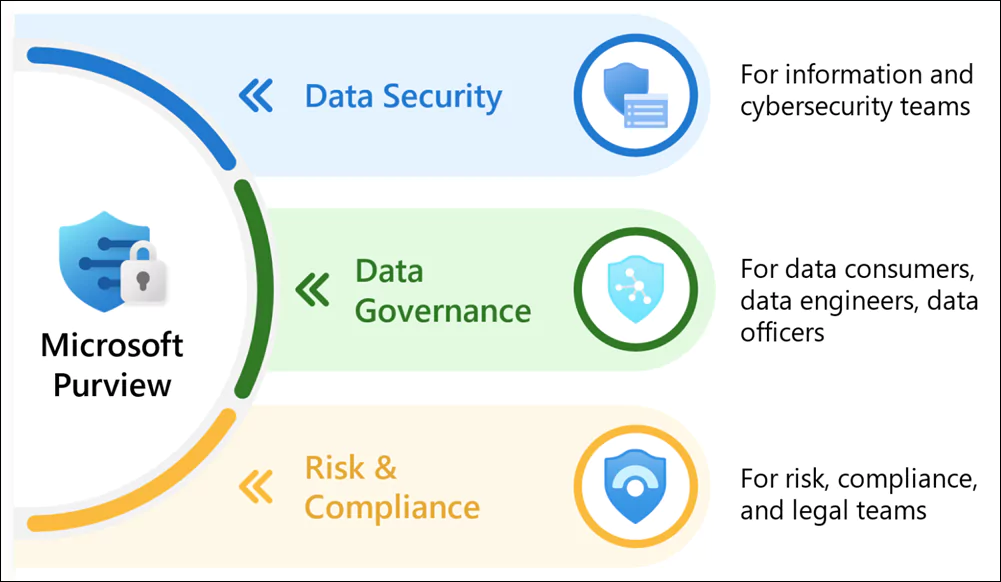
Microsoft Purview is a comprehensive data governance, risk, and compliance solution that helps organizations manage, protect, and govern their data across various environments, including Microsoft Fabric and Power BI.
For Power BI users, Purview provides several key benefits:
- Data Cataloging and Lineage: Microsoft Purview automatically catalogs metadata about Power BI artifacts, such as dashboards and reports, allowing users to easily discover and understand their data assets.This includes tracking data lineage from the source to the Power BI report, ensuring transparency and traceability
- Data Classification and Sensitivity Labels: Purview enables the classification of data and the application of sensitivity labels to Power BI datasets, reports, and dashboards.This helps in identifying and protecting sensitive information, ensuring compliance with regulatory requirements.
- Access Management and Security: By integrating with Azure Active Directory, Purview provides robust access management capabilities, ensuring that only authorized users can access sensitive data. It also supports network security features like private endpoints and firewalls to protect data from unauthorized access
- Compliance and Risk Management: Purview helps organizations meet regulatory compliance requirements by providing tools to monitor and manage data risks.It offers insights into data usage and storage, helping organizations maintain compliance with data protection regulations.
By leveraging Microsoft Purview, Power BI users can ensure that their data is well-governed, secure, and compliant, ultimately enhancing the reliability and trustworthiness of their data insights.
Conclusion
Microsoft Fabric is a game-changer for Power BI users, offering improved data integration, performance, governance, and real-time analytics. By leveraging Fabric’s unified analytics capabilities, Power BI users can create faster, more scalable, and intelligent reports while minimizing data silos and inefficiencies. Microsoft Fabric empowers you to turn data into insights more efficiently than ever before.