

Why Every Business Stakeholder Should Care About Lakehouse?
In today’s digital age, data is the new gold. But like gold, raw data is useless unless it’s refined and structured. This is where Lakehouse architecture shines.
A Lakehouse is a modern data architecture that combines the best features of Data Lakes and Data Warehouses. For business leaders and decision-makers, this means:
- Faster, smarter decisions based on real-time data
- A unified view of all your company’s information
- Reduced costs on storage and infrastructure
Think of it like this: A data warehouse is like a library—well-organized, but limited. A data lake is like a giant digital storage box—vast, but messy. A Lakehouse is a smart library: everything is there, it’s organized, and it’s instantly accessible.
Why It’s Crucial for Company Data Storage?
Data is growing rapidly—files, logs, customer insights, financial records. Companies can’t afford scattered or outdated systems.
Here’s why Lakehouse is the ideal storage solution:
- Scalability: Handles massive amounts of structured and unstructured data.
- Flexibility: Supports all types of data—text, video, logs, etc.
- Cost-Effective: Stores raw data cheaply like a data lake but with warehouse-style query power.
- Security & Governance: Built-in data access controls and compliance features.
Why You Should Adopt It Now?
Moving to a Lakehouse isn’t just an IT decision—it’s a business strategy.
- Make faster decisions using up-to-date, unified data
- Improve collaboration between departments (data science, finance, marketing, etc.)
- Eliminate data silos that slow down progress
- Enable real-time analytics and AI-powered insights
Core Features of a Lakehouse
Here’s what you get with a Lakehouse setup:
- Unified data storage (structured + unstructured)
- High-performance analytics
- Built-in machine learning support
- Enterprise-grade security
- Direct integration with BI tools like Power BI
- SQL support for business analysts and engineers
Connecting Lakehouse to Power BI: A Game-Changer
Lakehouse + Power BI = Actionable Insights at Your Fingertips
Here’s how to connect the two:
1. Ensure your Lakehouse supports Delta Lake or similar formats (like Databricks, Synapse, etc.).
2. Open Power BI Desktop → click on “Get Data”.
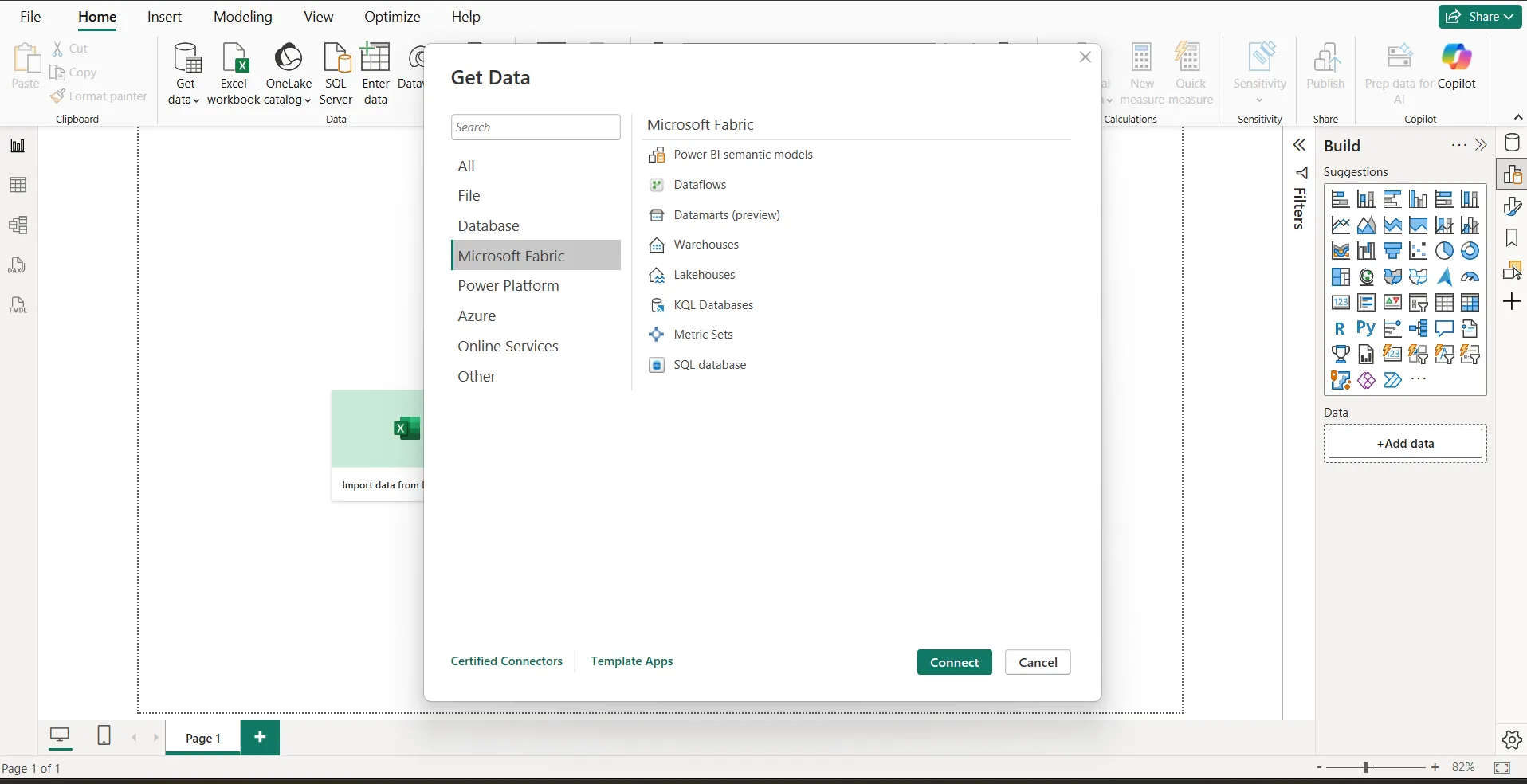
3. Choose “Lakehouse”
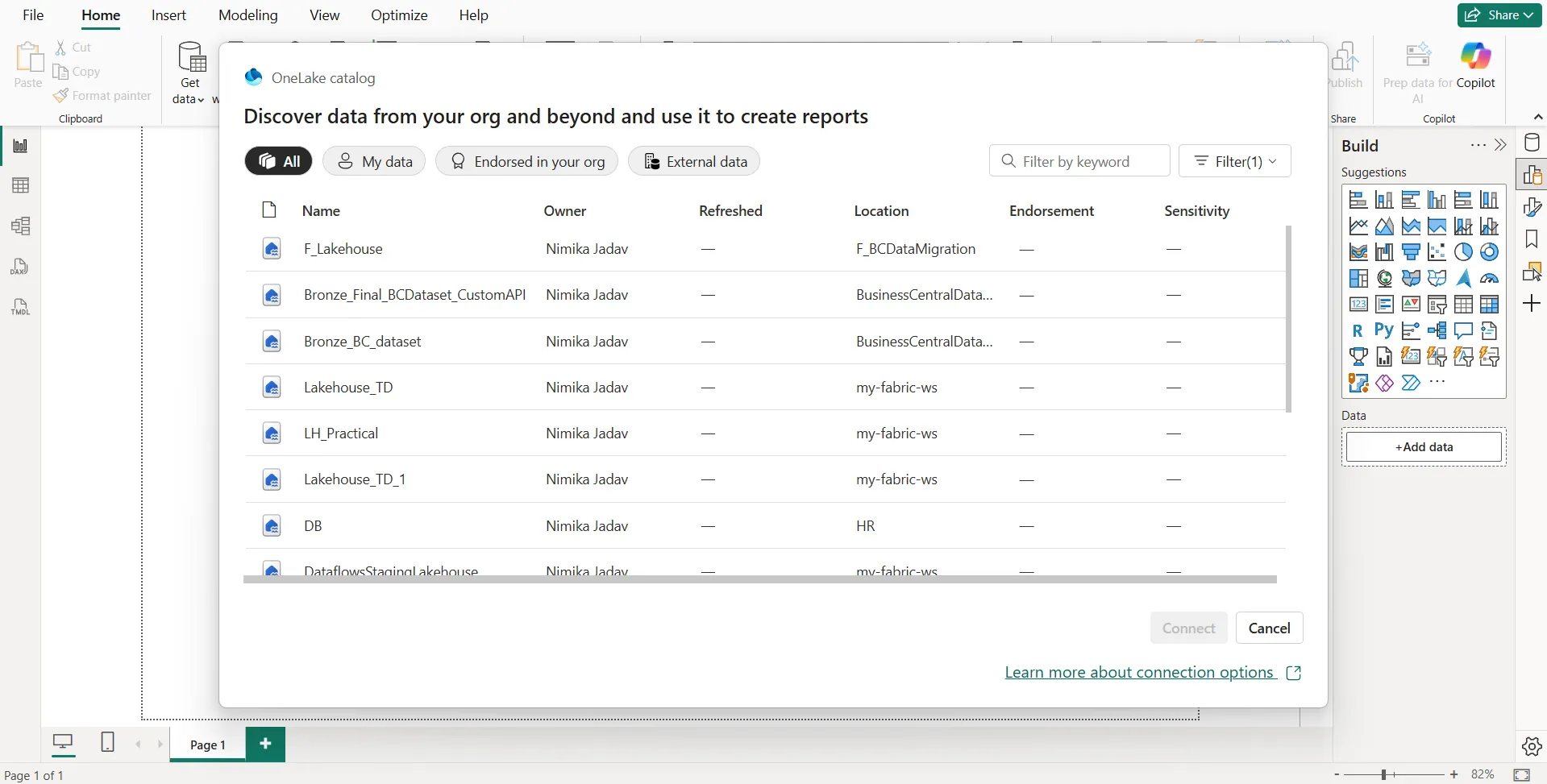

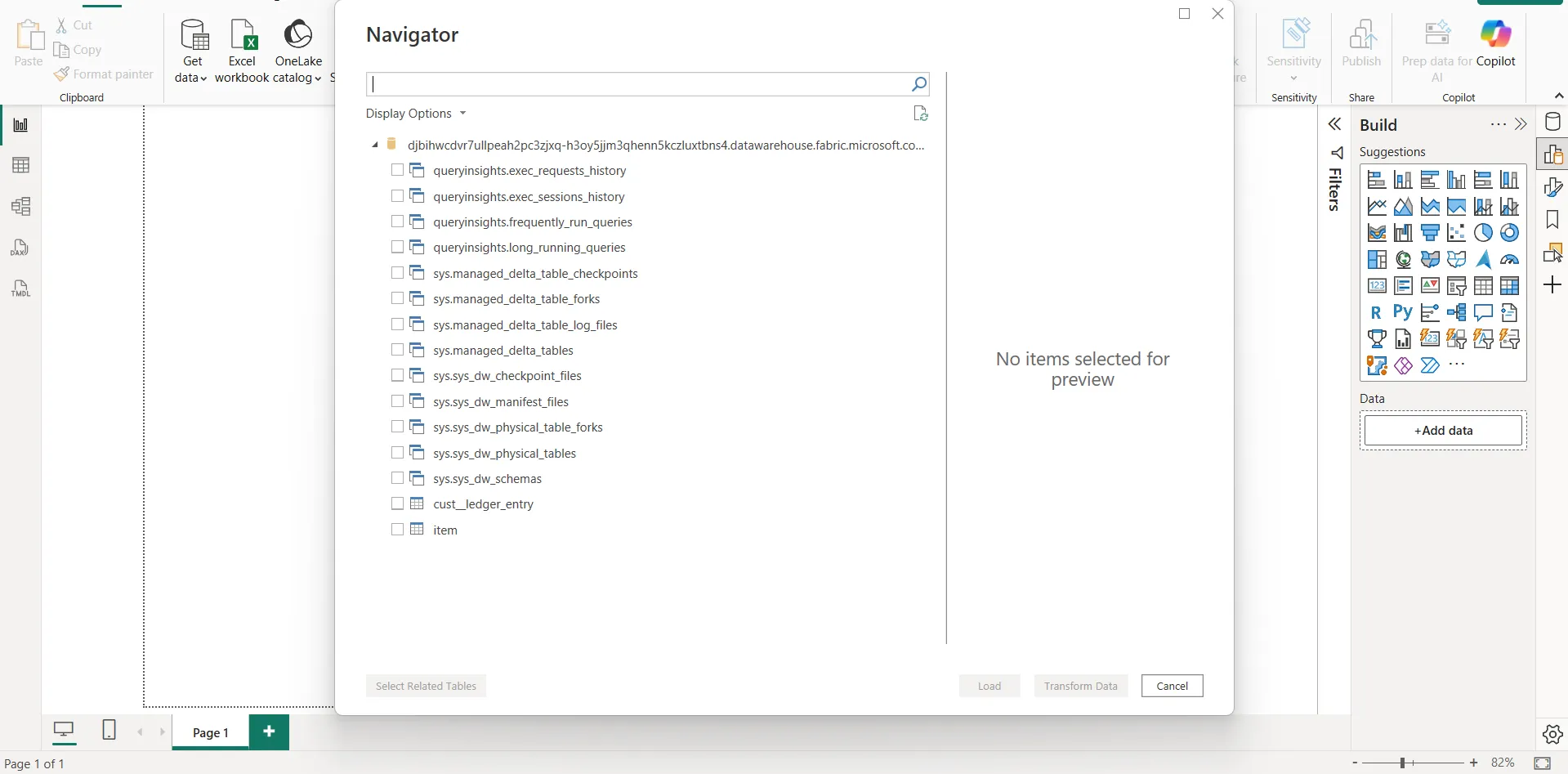
4. Load your data tables and start visualizing!
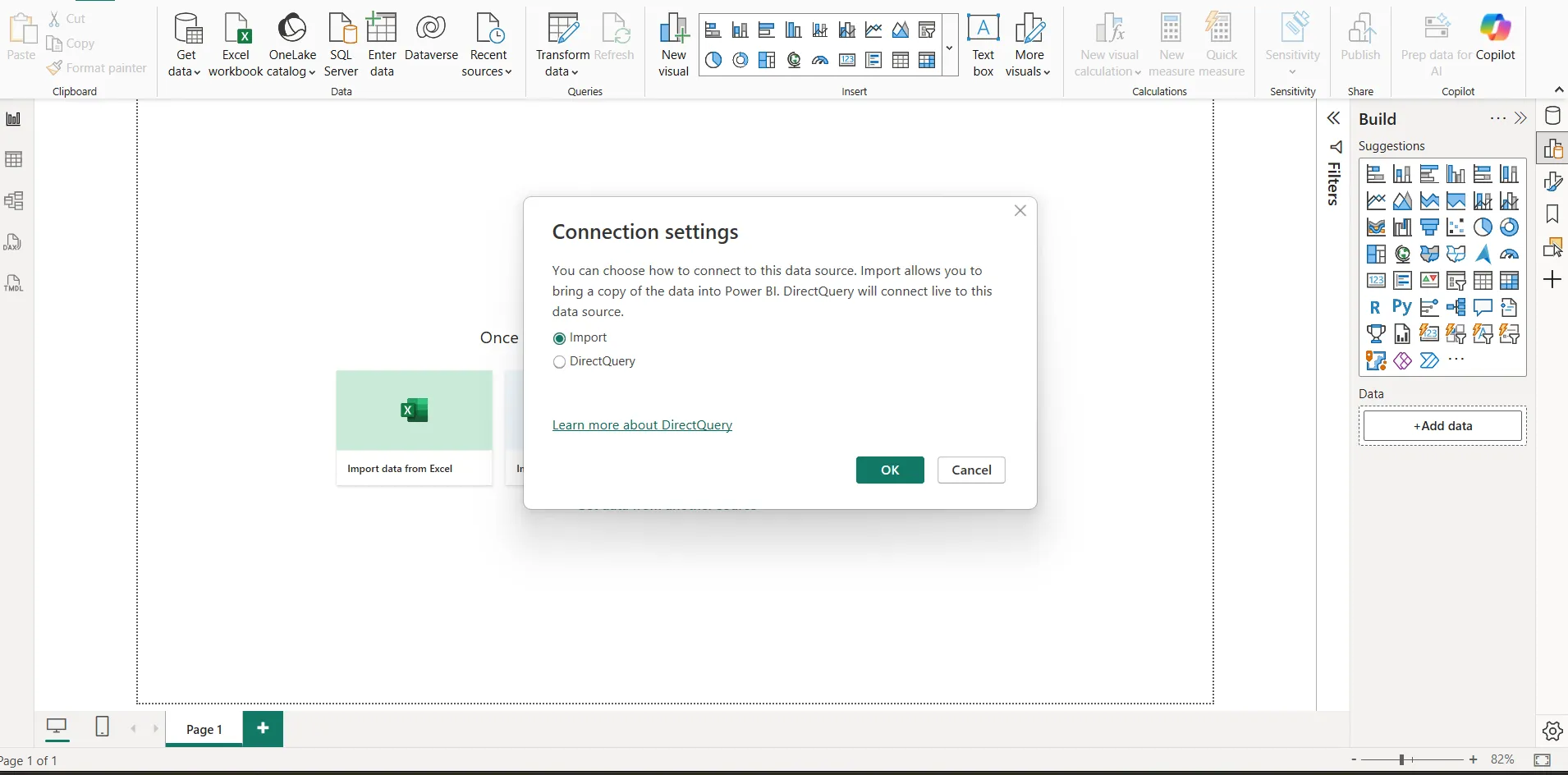
5. Choose Import if you want to import the metadata in power bi and if you want to connect directly with lakehouse hen choose direct query.
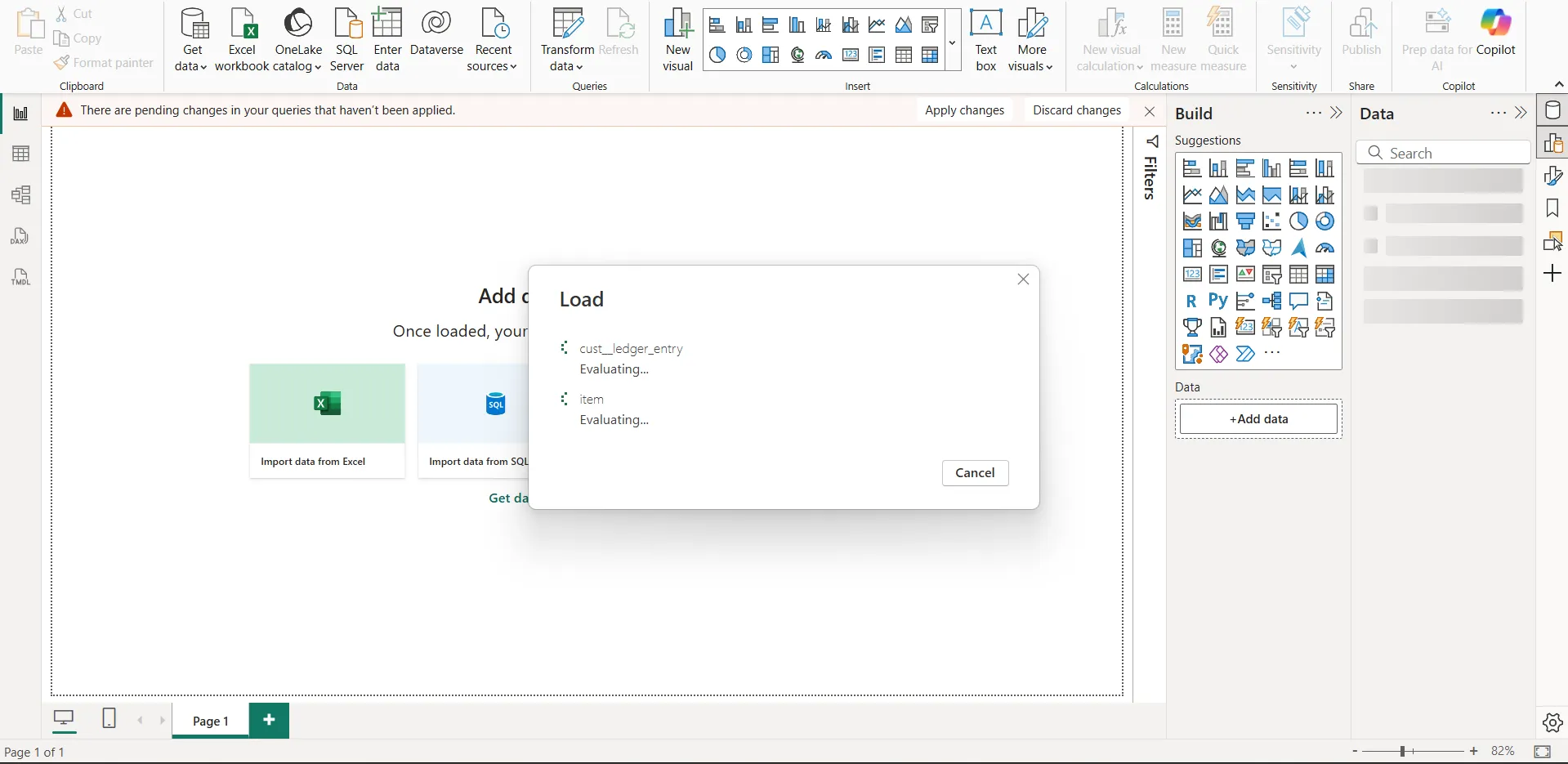
Result: Live dashboards, drill-downs, and instant reports using your Lakehouse data.
Conclusion: Lakehouse Is Not Just for Techies—It’s for Everyone
- Whether you’re in finance, HR, marketing, or operations, Lakehouse brings your data to life.
- It helps everyone—from analysts to executives—make smarter decisions, faster.
It’s time to leave behind messy spreadsheets and slow reports. Step into the future with Lakehouse.


